
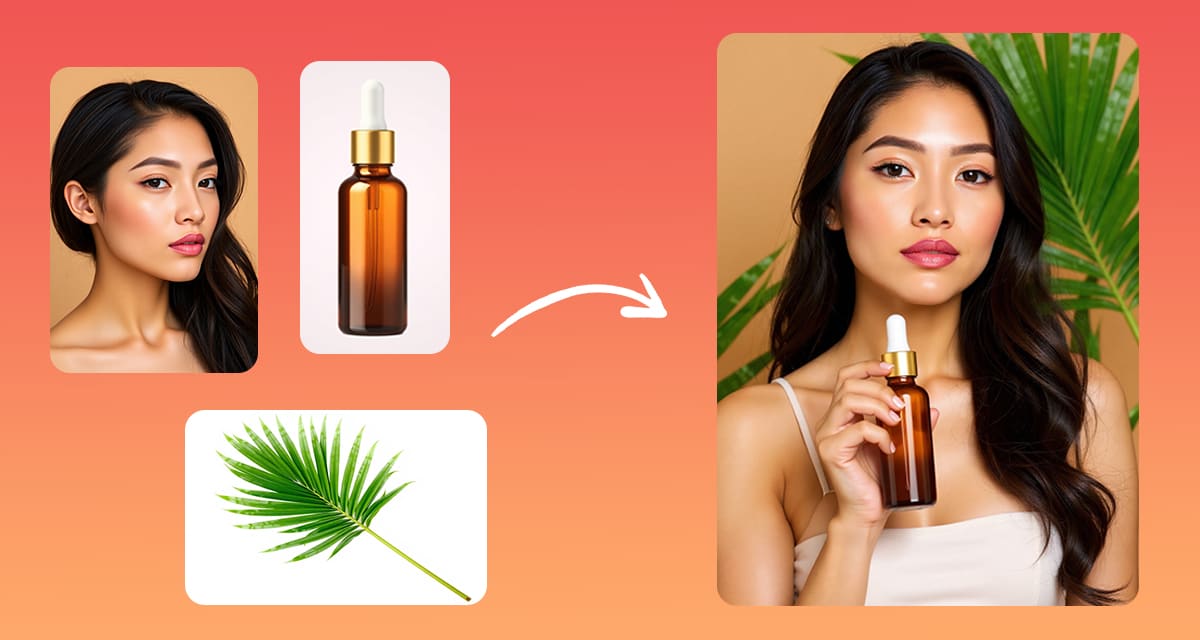
Sometimes the assets you need are scattered across different photos.
The perfect product shot is in one image.
The ideal background is in another.
And maybe a key visual element lives in a third.
As a designer or marketer, you don’t always have time to recreate scenes from scratch.
What you really need is a way to merge those pieces into a single, polished visual.
That’s where Pincel AI comes in, because it takes elements from multiple images and blends them naturally into one cohesive picture.
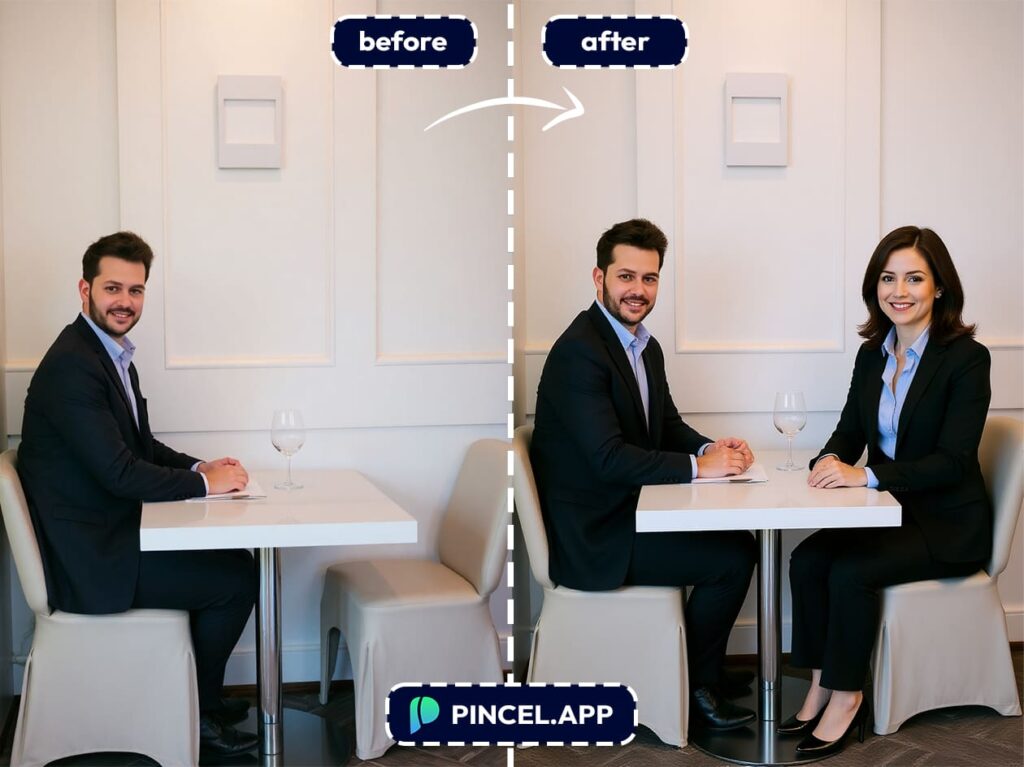
You upload your source photos and AI handles the technical details by matching lighting, fixing perspective, so the final result feels like it was captured in one perfect shot.
It’s a powerful shortcut for building compelling compositions that look professional from the start.
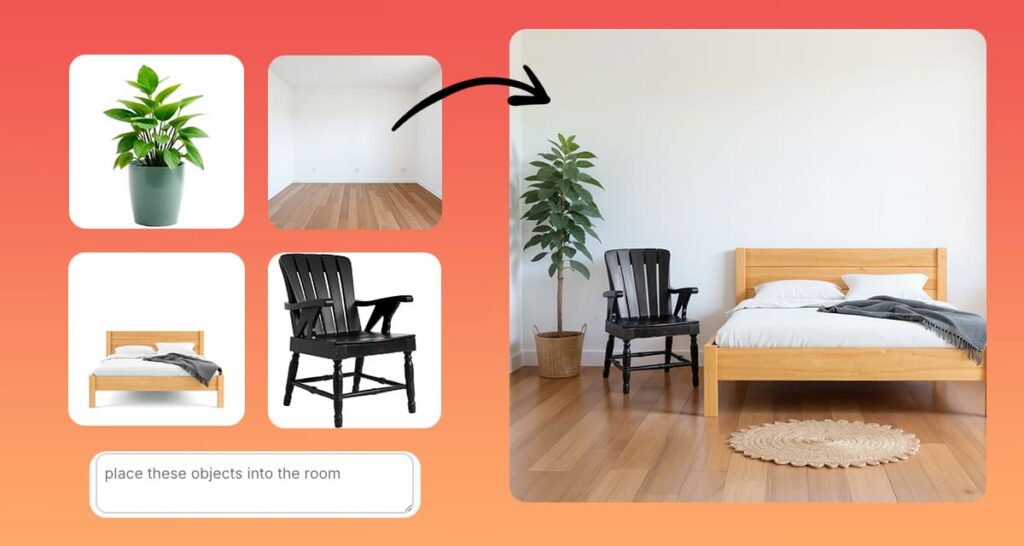
How it Works:
Start by uploading your images to the AI Editor.
These can be anything from family portraits, product shots or even rough sketches for reference
Then type a simple prompt like:
“Combine these elements into a single picture of a magical forest wedding.”
or
“Merge these photos into a single image of a cozy mountain cabin at sunset.”
Pincel instantly analyzes your uploads.
It understands lighting, perspective, texture and blends everything seamlessly.
And it generates a single AI image that feels natural, just like it was captured in one shot.
Potential Use Cases 👇🏼
The possibilities go far beyond simple collages!
Once you try it, you’ll see how versatile Pincel AI Photo Editor can be.
Here are several ways designers, marketers, and storytellers can put it to work:
Moodboards and concept visuals – First gather product shots, textures and colors. Then, merge them into one moodboard to communicate your ideas clearly.
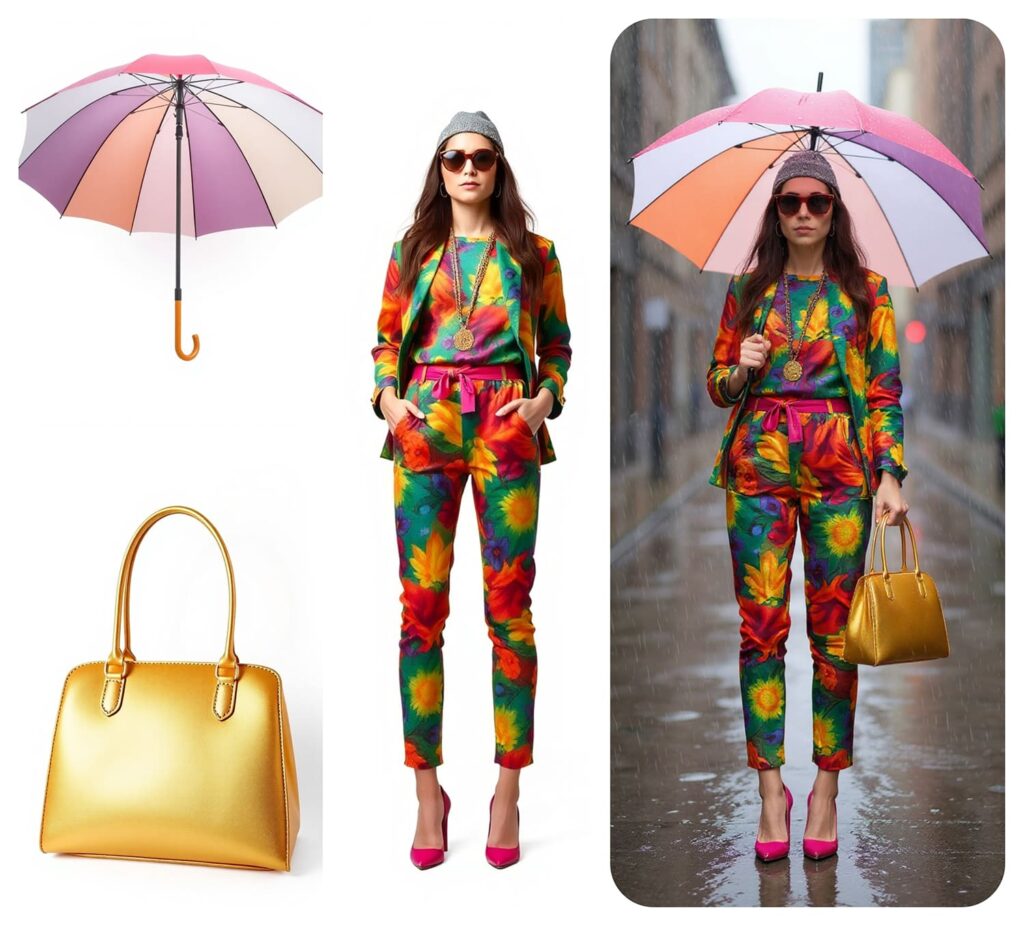
Fashion try-ons – Instead of paying for a full fashion shoot, combine outfits and models to preview clothes or create lookbooks quickly and efficiently.
Virtual characters with real likeness – Likewise you can blend a person’s face with illustrated or AI-generated bodies to create game characters, branding mascots or story visuals that feel personal.
Architecture and interior visuals – You can mix room photos, materials, and decor elements to visualize new designs or renovation concepts without expensive mockups.
Family or friend collages – Similarly, bring separate shots together for a single perfect group photo everyone will love.
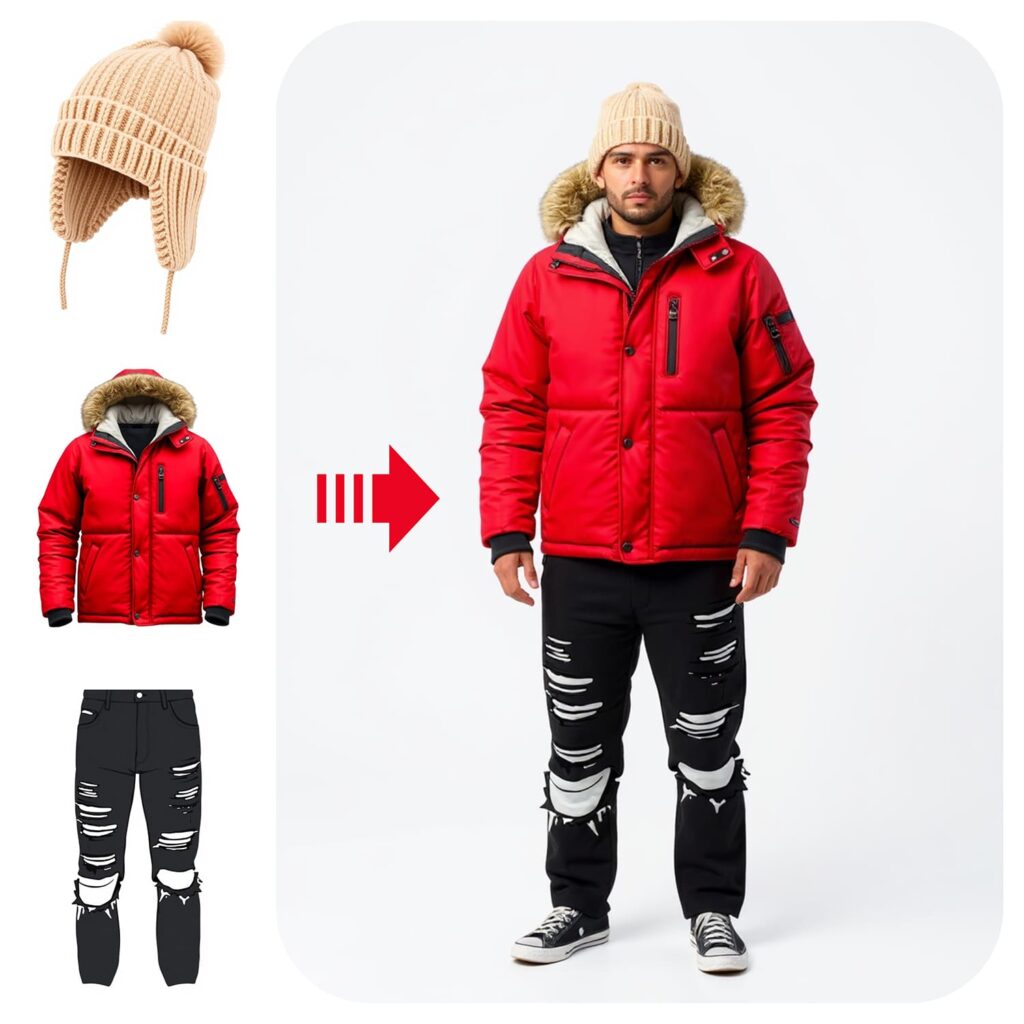
Product marketing – Combine product shots with lifestyle backgrounds to craft campaign ready visuals in minutes.
Social media content – Next, blend elements from multiple events to create scroll stopping posts that stand out in feeds.
Event promotions – Also, mix logos, people, and locations into a unified image that grabs attention instantly.
Custom gifts – Finally you can bring favorite memories together into a single image which is perfect for birthday cakes, fun wedding photos, or even caricatures.
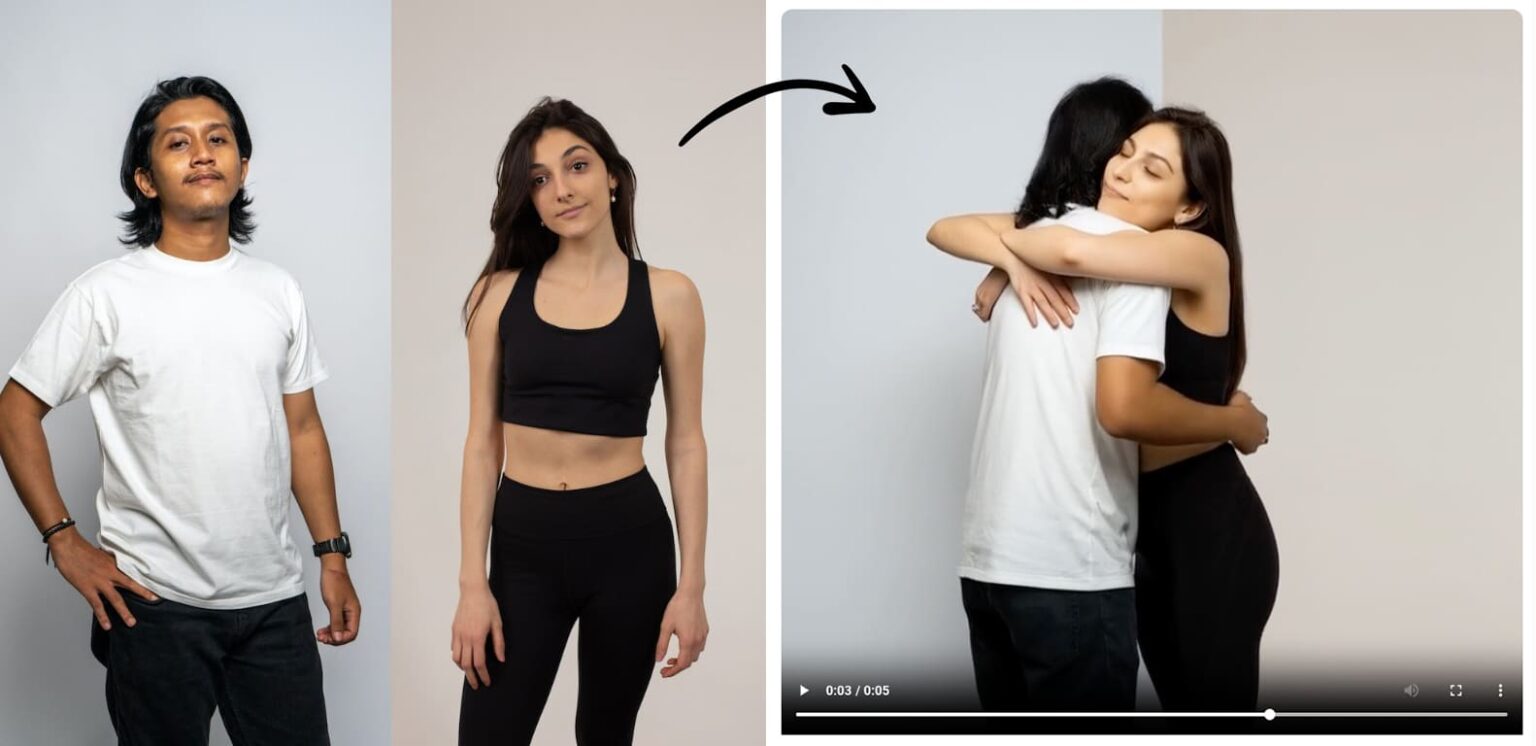
Turn it into a video – After creating your combined image you can also transform it into a short AI-generated video or animated post to make your visuals even more engaging.
Tips for Best Results ✅
If you want even more control then use specific prompts.
For example:
“Combine these elements into a single picture of a person wearing these elements.”
You can also experiment with different size ratios.
Take a portrait and a landscape and then blend them into a surreal double-exposure style image.
Or combine a product photo with a lifestyle shot to make a unique advertisement.
Because Pincel is flexible then you’re free to test bold ideas you’d never even attempt in Photoshop.
And if you don’t like the first result, just tweak the prompt and generate again.
From Chaos to Canvas
Bringing elements together from different photos doesn’t have to be complicated.
With Pincel AI Photo Editor, you can merge assets into a single image that feels naturally composed.
Designers can build polished layouts faster.
Marketers can craft campaign visuals without extra shoots.
And storytellers can create scenes that perfectly match their narrative.
It’s a simple, powerful way to turn scattered pieces into one unified vision.

