
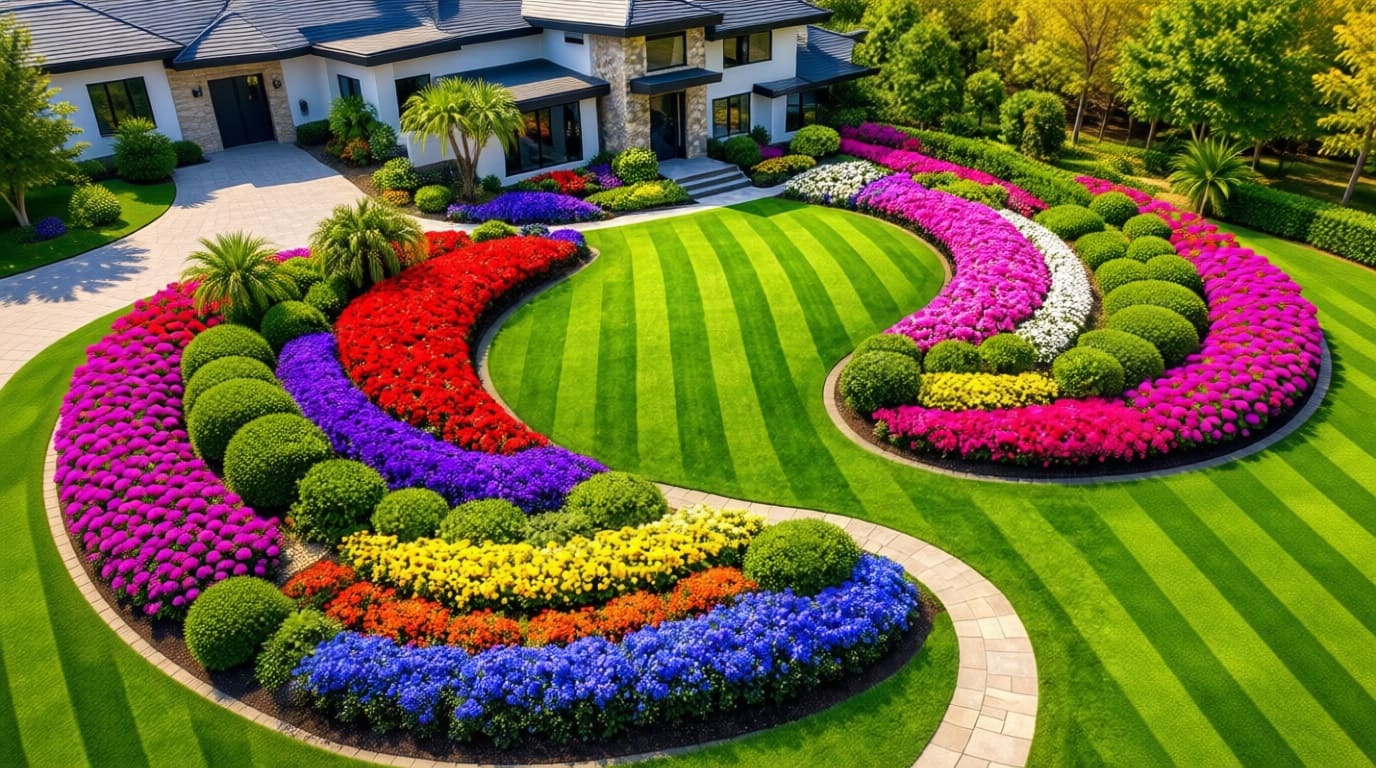
Your yard has potential, but right now, it probably feels like a big question mark.
You scroll for ideas on Pinterest, but then you get overwhelmed.
And suddenly, nothing feels right again.
But here’s the good part – you can see your ideas before you build them.
With Pincel AI Photo Editor, you just upload a photo.
Then you type what you want and in seconds, you get a realistic design.
No guesswork, just fast visual answers.
So instead of imagining your dream yard…You actually see it.
Here’s how it works:
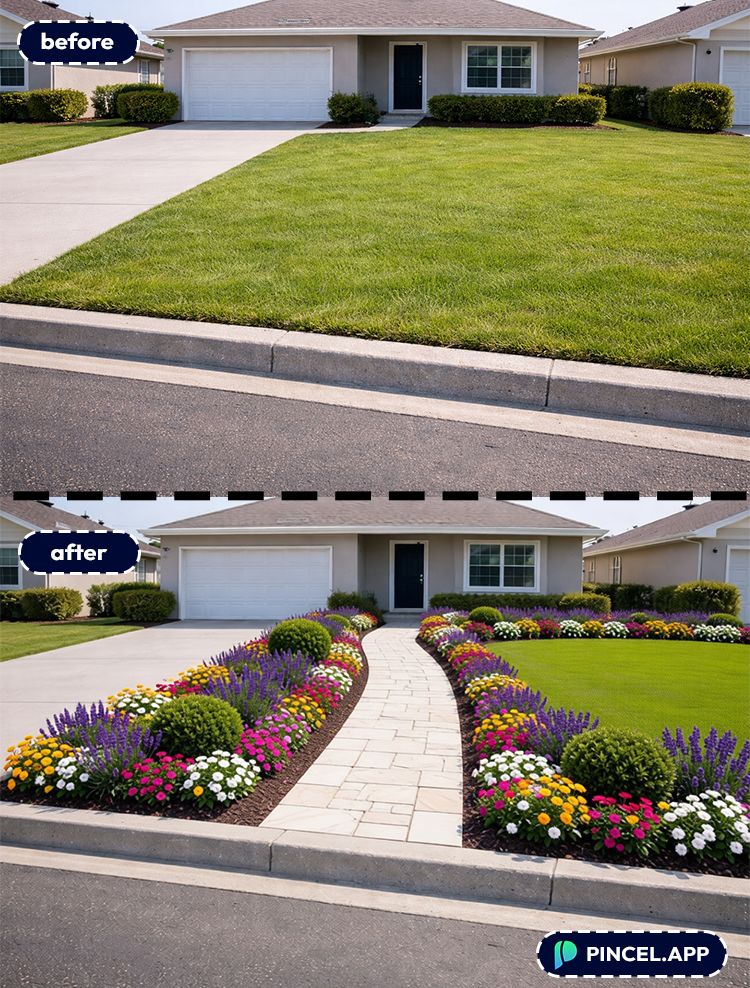
Why Landscaping Planning Usually Goes Sideways 😩
Landscaping decisions can be pretty high-stakes.
Plants die, hardscapes cost real money, and “I’ll just move it later” is a lie.
And if you’ve ever tried to plan it in Photoshop, you already know the pain.
Hiring a designer is great, but it’s not always fast.
You’re emailing photos, waiting on revisions, and paying for each iteration.
That’s exactly why Pincel exists.
It turns “what if we…” into a visual mockup in under 10 seconds.
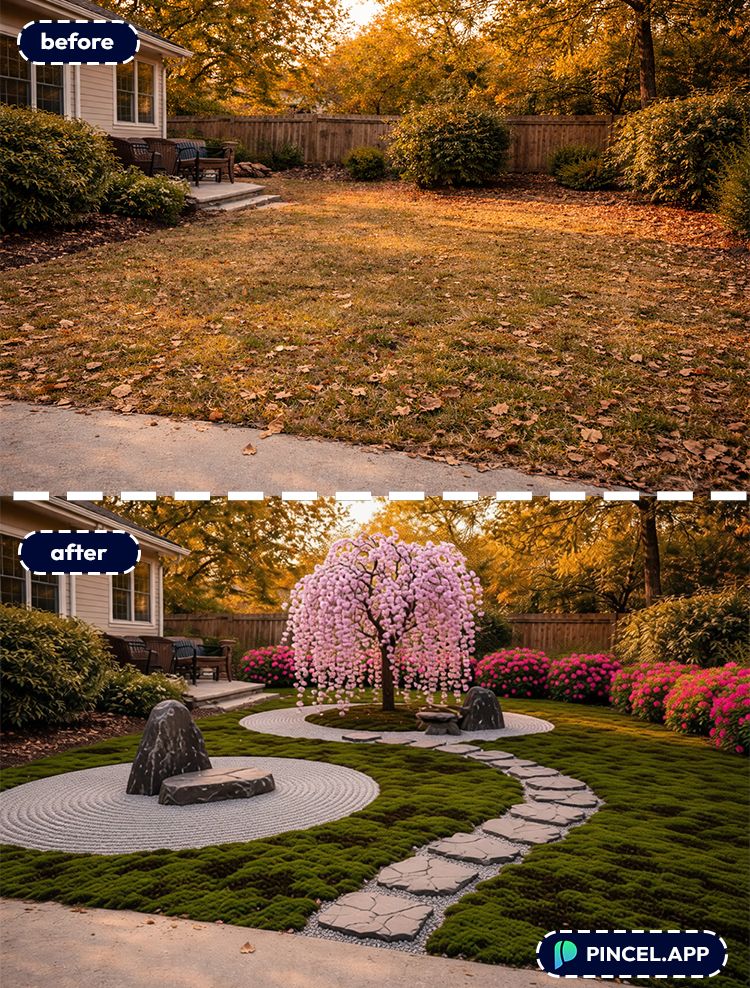
How to Use an AI Landscaping Design Tool:
🖼️ Step 1: Upload a Photo of Your Yard
Go to the Pincel AI Photo Editor.
Upload a photo of your front yard, backyard, patio, or side yard.
Even a casual phone pic usually works fine.
📝 Step 2: Type What You Want to See
In the prompt box, describe the landscaping like you’re texting a contractor.
Try prompts like these (and tweak them to match your space):
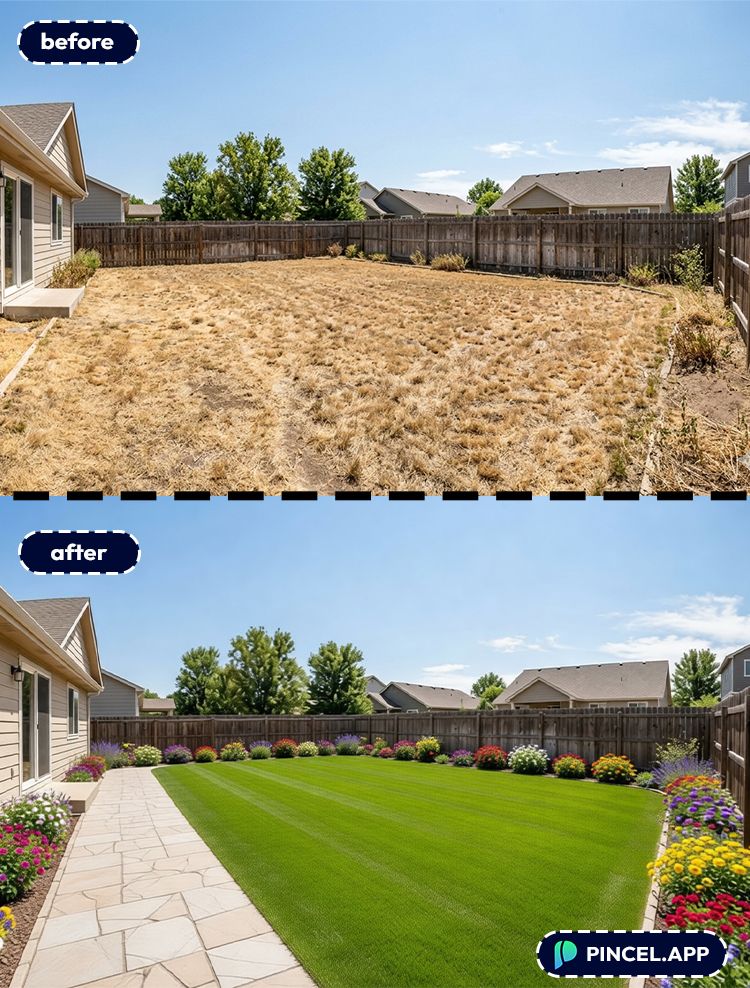
- “Replace the grass with drought-tolerant xeriscape, add river rocks, agave plants, and a stone walkway.”
- “turn the backyard beautifully decorated. cut all the grass evenly, make the stone walkway nice and even,”
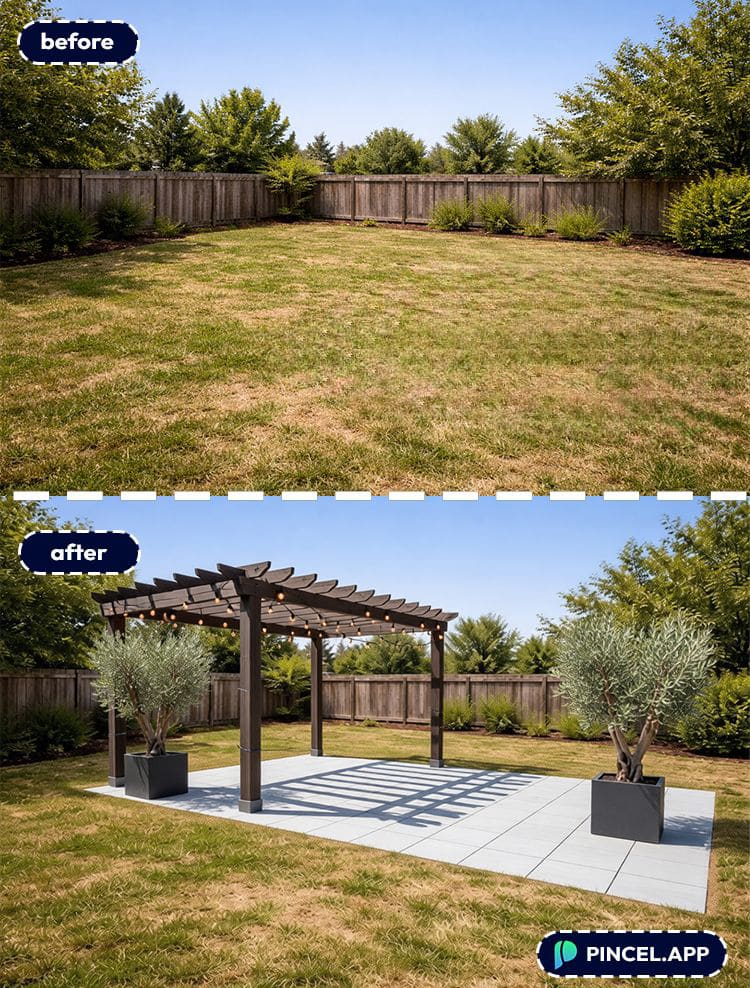
- “Add a modern patio with light gray pavers, a pergola, string lights, and two planters with olive trees.”
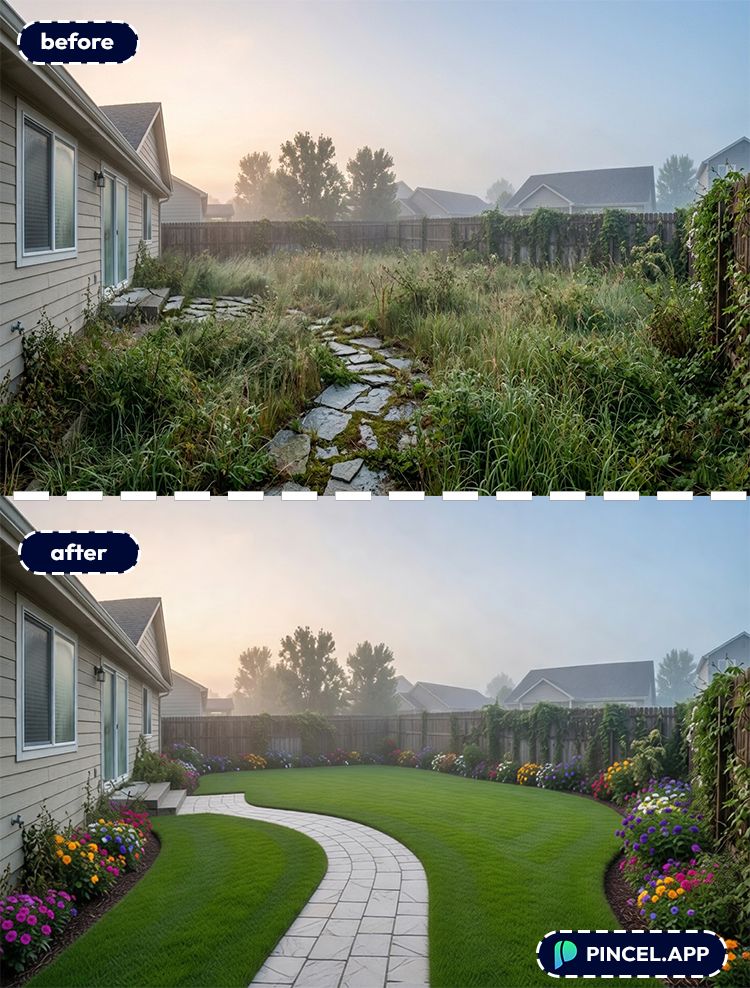
- “Create a cottage garden with curved flower beds, lavender, hydrangeas, and a small white picket fence.”
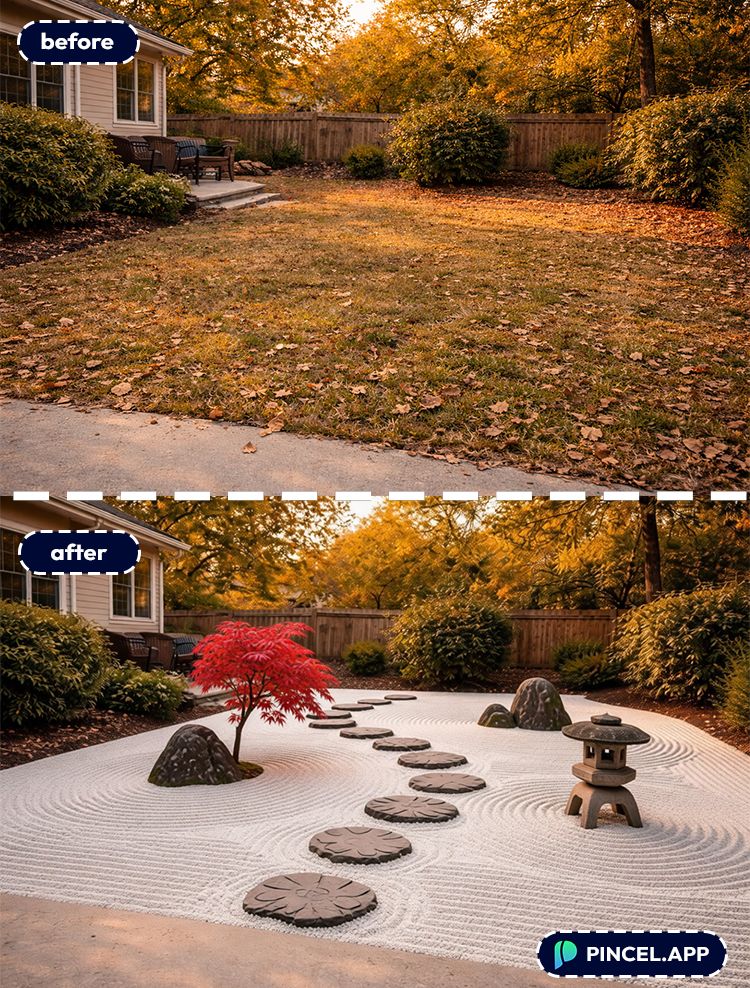
- “Turn this into a Japanese zen garden with raked gravel, stepping stones, a small maple tree, and a stone lantern.”
The more specific you are, the more “designer” the result looks.
Mention materials, colors and the vibe you want.
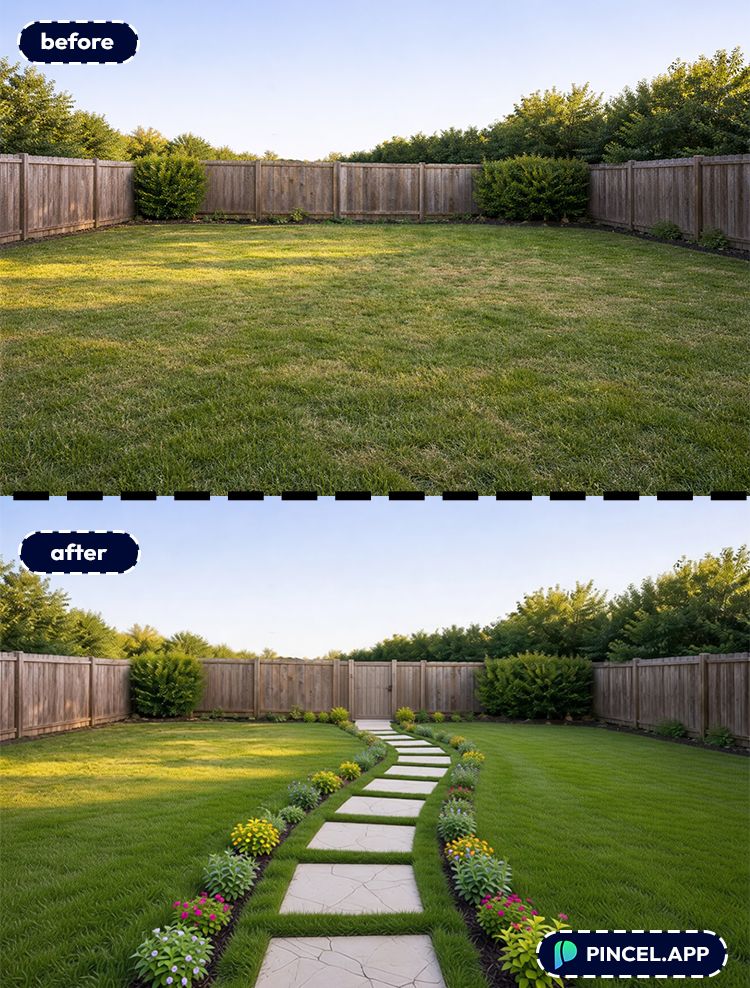
⚡ Step 3: Click Generate (and Iterate Fast)
Click Generate and wait a few seconds.
You’ll get a visual concept you can react to immediately.
And you can do multiple variations in seconds without re-uploading.
If the result is close but not perfect, adjust your prompt.
Small edits like “make the path wider” or “remove the palm trees” work surprisingly well.
📥 Step 4: Download and Share Your Favorite Version
Download the mockup and send it to your partner, landscaper or group chat.
This is where AI becomes a superpower.
You’re not describing an idea anymore, but you’re showing it.
Ready to test ideas?
Who Is This For? Real-World Use Cases 👇🏼
Homeowners planning a makeover — Try 10 different layouts in under 10 seconds each before you spend a dime on materials.
Improve existing patio or balcony — Visualize planters, privacy screens, outdoor rugs, and lighting without committing.
If you’re also tweaking the vibe indoors, you’ll love the inspiration style galleries in AI Garden Design.
Real estate agents boosting curb appeal — Create “potential yard” visuals for listings, especially when the current yard is bare.
Pair it with quick scene improvements like Replace Sky in Photo to make exteriors feel brighter.
Landscape pros selling the concept — Use AI mockups as a fast first draft, then finalize the plan with measurements and plant lists.
DIYers comparing styles — Modern desert vs. tropical vs. cottage vs. minimalist.
If you’re playing with style overall, check out AI Fashion Styles for the same “try it before you commit” energy.
Families planning big changes — Want to see how a fire pit fits, or whether a play area ruins the aesthetic?
Mock it up, argue about it, and decide—without digging anything up.
Anyone who wants more space in the frame — If your yard photo is too tight, expand it first with Extend Photo with AI and then design on top
Frequently Asked Questions 🤔
What is the best AI landscaping design tool for visualizing a yard makeover?
The best AI landscaping design tool is the one that lets you upload your real yard photo and generate multiple realistic concepts quickly.
With Pincel AI Photo Editor, you can mock up landscaping changes in seconds using plain-English prompts.
Can AI design landscaping from a photo?
Yes, AI can design landscaping from a photo by generating visual variations based on your instructions.
Upload an image, describe the materials and style you want, and iterate until the mockup matches your vision.
How do I write prompts for an AI landscaping design tool?
Write prompts like you’re describing the project to a landscaper: style + materials + key elements + what to avoid.
If you like this workflow, you’ll also like prompt-based edits for other tasks like Change Weather in Photo or Change Camera Angle.
Will the results look realistic or obviously AI?
They can look very realistic when your photo is clear and your prompt is specific.
Pincel tends to preserve the layout and perspective of your original image, which helps the concept feel grounded.
Is there a free way to try an AI landscaping design tool?
Yes. Pincel gives you 20 free credits to test edits without a credit card.
That’s plenty to generate multiple yard concepts and compare directions before you commit to a plan.
Lawn and Order 🌿
So here’s the deal. Landscaping doesn’t have to feel risky anymore.
Instead, you test ideas first and then you decide with confidence.
No more second guessing and no more expensive mistakes.
Just upload, type, and instantly explore better options.
And honestly, that changes everything.
Because now you’re not hoping your yard looks good.
So go ahead and test the modern patio idea, the cottage garden dream, and the clean minimalist version.
Your future self (and your wallet) will thank you.

