
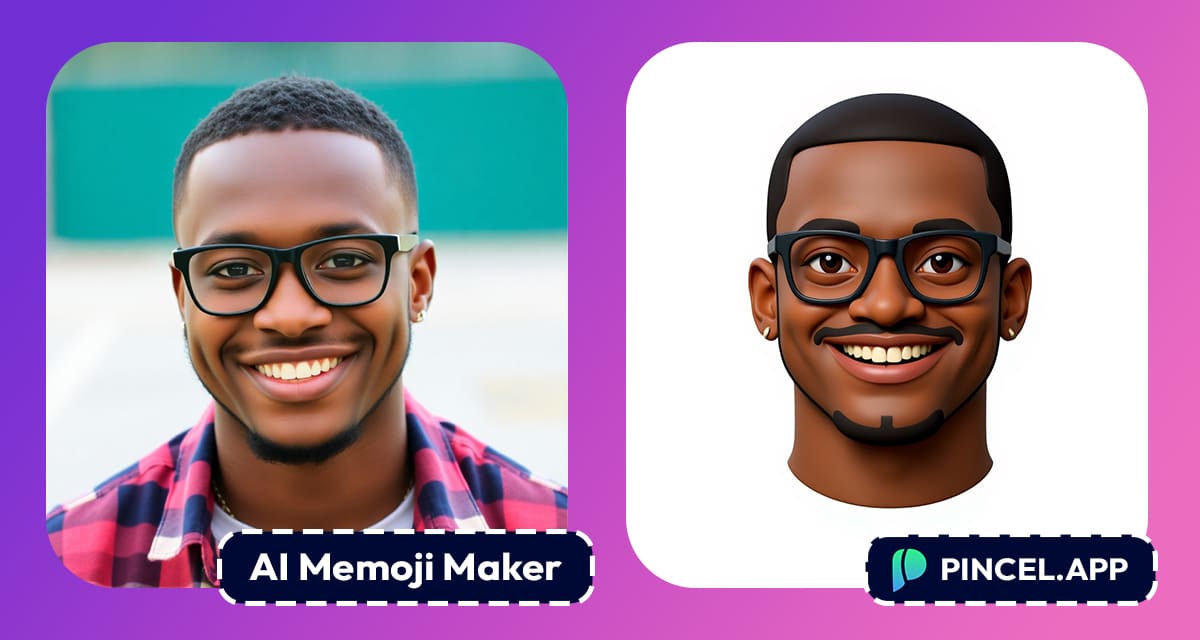
Custom memojis look great.
They’re playful versions of yourself and you can find them everywhere from Slack profiles to YouTube thumbnails.
But creating one for yourself is usually compete total time-waster.
You either spend forever tweaking every little facial detail manually, or pay a designer to do it (and wait days).
That’s exactly why Pincel AI is a perfect tool for you
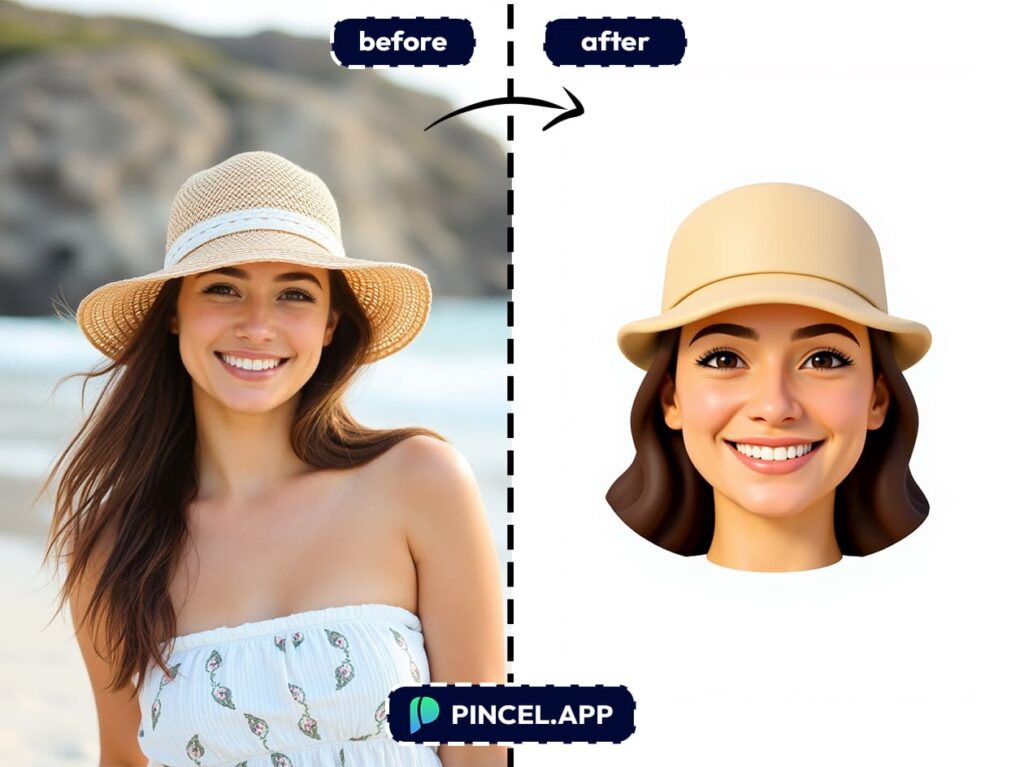
Just upload a photo of a face and you’ve instantly got a 3D Apple-style memoji avatar that actually looks like you.
Fast, accurate and zero hassle.
How to Make a Memoji Avatar in 10 Seconds:
You don’t need design skills and there are no apps to download.
Here’s what to do:
- Open Pincel AI Photo Editor
- Upload a photo of your face, clear and front-facing works best
- In the prompt box, copy this prompt:
"turn this face into 3d apple memoji style icon of only the head. Isolated on solid white background. Preserve the facial features." - Modify the prompt if needed and Hit Generate!
In a few seconds, you’ll see your face reimagined as a clean, Apple-style memoji with fully rendered in 3D style, floating on a white background.
And yes, it looks surprisingly like you.
Why You’ll Love It 🥰
These custom memoji style avatars are:
- ✨ Unique
- ⚡ Instant
- 💬 Recognizable
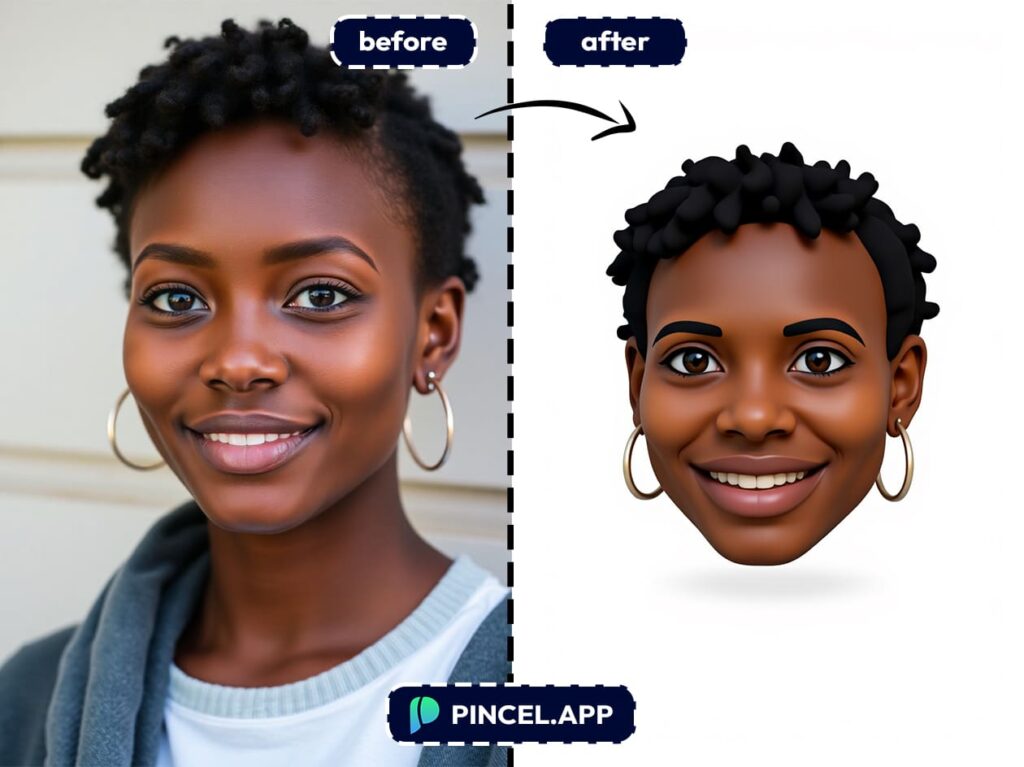
Unlike generic emoji makers, Pincel keeps your actual facial features.
That means your avatar actually looks like you, but just cuter and more animated.
What Can I Do with My Personal Memoji? 🫤
You might be wondering what’s the point?
Here’s where it comes in handy:
- Use as a creative Profile pictures for Slack, Discord, or Zoom
- Make Email signatures that pop out instantly;
- Create smartphone Contact photos with personality
- Make fun Business cards with a twist;
- Or just for fun and shareability (because everyone does it)
Basically, if you’re online (and you are), having a stylized avatar helps you stand out without giving away your real face.
What’s an Emoji vs Memoji Anyway? 🧐
An emoji is a small digital icon used to express emotions, reactions, or ideas.
They actually began in Japan, and the word “emoji” comes from Japanese: “e” means picture, and “moji” means character.
So it has nothing to do with the English word “emotion” but it just sounds like it!
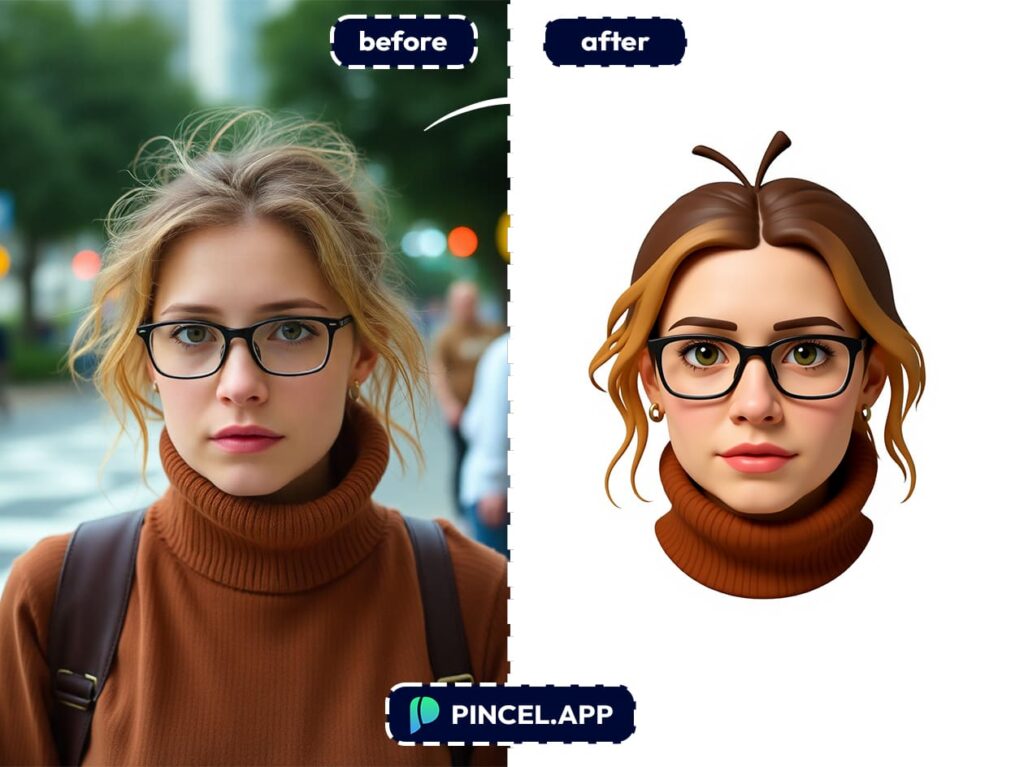
Now enter the Memoji which is a mashup of “me” and “emoji”.
It’s Apple’s way of letting you create a personalized cartoon version of yourself.
Basically, it’s your face turned into an emoji style icon with 3D style.
And thanks to tools like Pincel AI, you don’t need to own an iPhone to get one.
Memoji-fy Yourself
(or Your Pet) Now👇🏼
With just one upload and a simple prompt, you can turn an ordinary photo into a sleek, Apple-style memoji.
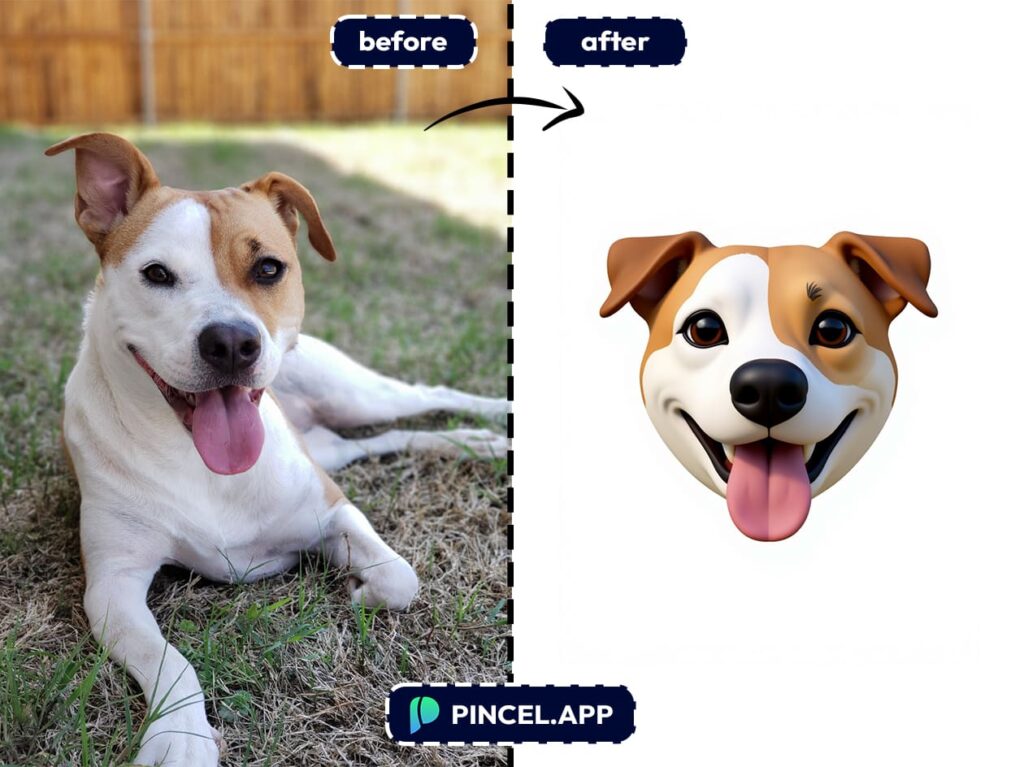
And the best part is that it actually looks like the person (or pet) from the photo.
Whether you’re updating your profile picture, creating a fun avatar for your team, or just looking to stand out online without showing your real photo, Pincel makes it effortless.
Now that you’ve memoji-fied yourself in seconds, why not take it a step further?
Send one to a friend or make one for your pet too.
Use it as your Zoom icon and see who notices.
Because when it only takes a few clicks to look this good, there’s really no reason not to?

